

App Store Screenshots (3)


Design Analysis
Visual Design
App Insights
About JumpJumpVPN: Fast & Secure
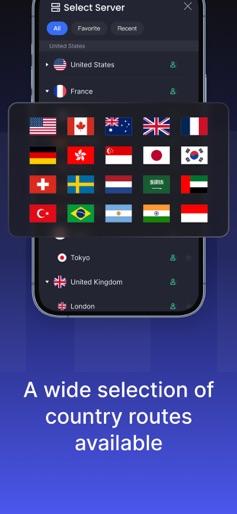
JumpJumpVPN - A Secure and High-Speed VPN Proxy Application Providing you with a secure, stable, and anonymous internet experience What is a VPN? A Virtual Private Network (VPN) establishes an encrypted connection from your device to a network over the internet. This encrypted connection ensures the secure transmission of sensitive data, prevents unauthorized eavesdropping on your traffic, and allows you to browse the web safely and anonymously. Why Choose JumpJumpVPN? JumpJumpVPN is an intuitive VPN proxy application with a clean and user-friendly interface, offering an exceptionally smooth user experience. Simply open the app, click the "Connect" button, or choose any server from the list. Ultra-fast and secure connections, unlimited bandwidth, multiple global VPN servers, reliable service, and privacy protection are the reasons why you should choose JumpJumpVPN. Key Features: • High-Speed Connection: JumpJumpVPN has a dedicated server network to ensure your internet connection remains fast and stable • Anonymous Browsing: Hide your real IP address to keep your online activities completely private and secure • Easy to Use: Connect with just one click—no complicated setup required to get VPN protection Auto-Renewal Details: • Upon purchase confirmation, payment will be charged to your Apple account • The subscription service will automatically renew 24 hours before the end of the current billing cycle • The renewal fee will be charged to your account within 24 hours before the subscription expires • You can manage your subscription and turn off auto-renewal in your Apple Store account settings • If a free trial is offered, any unused portion will be forfeited upon purchasing a subscription Related Terms: Terms of Service: https://jumpjump.io/#/termsofservice/index Privacy Policy: https://jumpjump.io/#/privacyterms/index Contact Us: support@jumpjump.io
Create screenshots like JumpJumpVPN: Fast & Secure
Use FlyerBanana's free editor to create professional App Store screenshots inspired by JumpJumpVPN: Fast & Secure's design. 100+ templates, device frames, and one-click export.
More Productivity Apps
View all

Microsoft Outlook
Productivity


AVG AntiVirus & Security
Productivity


Screen Recorder - XRecorder
Productivity


Opera: Private Web Browser
Productivity


Parallel Space - app cloning
Productivity


Duolingo - Language Lessons
Productivity