
App Store Screenshots (5)
Design Analysis
Visual Design
App Insights
About Invoice Maker ▸ Estimate App
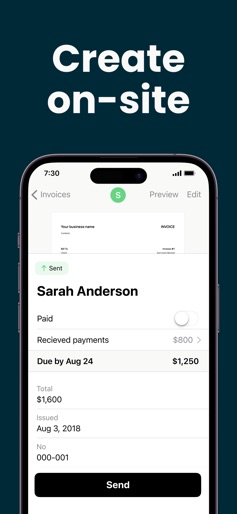
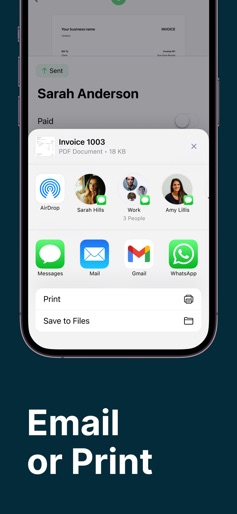
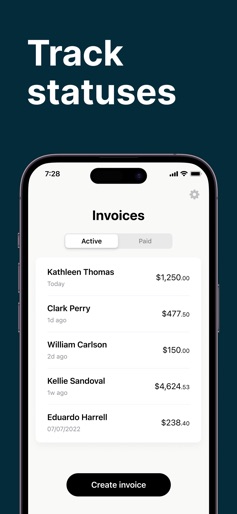
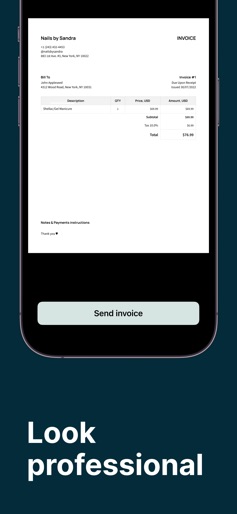
Invoice Maker Tofu — invoices & estimates in minutes Invoice Maker Tofu helps freelancers, contractors, and small businesses create, send, and manage invoices and estimates quickly. Use a professional invoice template, send it the way your client prefers, and stay on top of outstanding payments — all from one simple app. BEST FOR • Freelancers and consultants • Home & on-site services • Small businesses that need fast, reliable invoicing WHAT YOU CAN DO • Create invoices and estimates in seconds with a fast invoice generator • Choose the best delivery method: email, messengers, and more • Attach photos to estimates for clearer presentation and faster approval • Use premium invoice templates for a polished, branded look • Track received payments and monitor unpaid invoices at a glance • Keep all clients in one place for repeat billing and easy follow-ups • Organize your items/services list to invoice faster next time • Download reports on paid invoices for bookkeeping and reporting WHY IT HELPS • Save time: less manual admin, faster document creation • Get paid sooner: clear estimates reduce questions and delays • Stay organized: know what’s paid, what’s pending, and who to remind • Look professional: consistent, clean templates build trust • Feel supported: improved customer service when you need help USE CASES • Freelancers (design, development, consulting): invoice after each milestone and track payment status • Service providers (repairs, cleaning, beauty): estimate with photos → client approval → final invoice • Small teams: maintain a client list, reuse items/services, and export paid-invoice reports • On-the-go work: build an estimate on site and send it instantly via messenger HOW IT WORKS - Add or select a client - Add items/services and prices - Pick a premium template; attach photos to estimates if needed - Send the invoice/estimate - Mark payments received and monitor unpaid invoices - Export reports when you need them TRIAL During the trial period: enjoy no limits on invoices, customers, items, and more — and test premium features before you subscribe. SUBSCRIPTIONS Plus: Weekly $9.99 US; Annual $99.99 US Premium: Monthly $17.99 US; Annual $179.99 US After purchase: no limits (invoices, customers, items, etc.). Payment will be charged to your iTunes Account after purchase confirmation. Subscription renews automatically unless auto-renew is turned off at least 24 hours before the end of the current period. Your account will be charged for renewal within 24 hours before the end of the current period. Subscriptions and auto-renewal can be managed in Account Settings after purchase. FAQ Q: Can I send invoices via messengers? A: Yes — choose email, messengers, and other options. Q: Can I add photos to estimates? A: Yes — attach photos for better presentation and clearer approvals. Q: Can I track unpaid invoices? A: Yes — monitor unpaid invoices and mark payments received. Q: Can I export reports? A: Yes — download reports on paid invoices. Terms of Use: http://getpaidapp.com/terms Privacy Policy: https://getpaidapp.com/privacy
Create screenshots like Invoice Maker ▸ Estimate App
Use FlyerBanana's free editor to create professional App Store screenshots inspired by Invoice Maker ▸ Estimate App's design. 100+ templates, device frames, and one-click export.











