

App Store Screenshots (7)




Design Analysis
Visual Design
App Insights
About iFax App Send Fax From iPhone
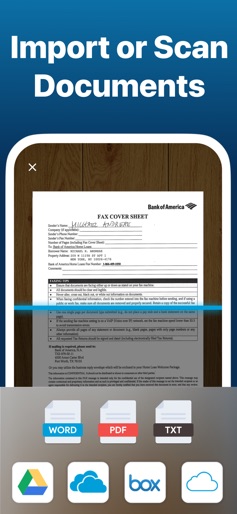
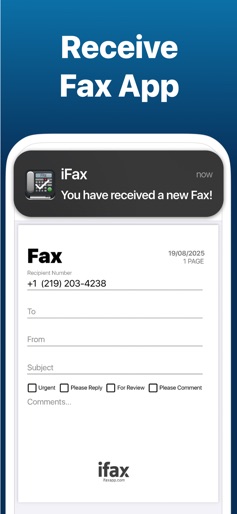
Are you in need of a hassle-free & cost-effective way to fax from your iPhone for free? Look no further than iFax, the original & best free e Fax app. With iFax, your iPhone or iPad instantly transforms into a portable free online fax machine. Say hello to your go to online fax services! With a user base of over 5 million individuals spanning 20,000 companies, including Fortune 500 powerhouses & esteemed nonprofit institutions like Citibank, the US Government, Harvard University, SAS, Lyft, PWC, 3M, Invitae, & many more, iFax has established itself as the go-to faxer service for all your internet faxing needs, including unlimited fax plus many other features. How iFax Works - Whether you need to send a single fax or a multitude of faxes, iFax has you covered, right from your iPhone. - Get started with faxing in minutes, all without the need to create an account or deal with cumbersome paperwork. - Seamlessly send & receive faxes on the go with iFax, the world's leading fax app, offering free fax from iphone free app features. -Send a free fax from iphone free with iFax Why Choose iFax App for Your Free e Fax++ Needs HIPAA & GLBA-Compliant, Enterprise-Grade Faxing: iFax offers faxing with enhanced security, bulk faxing, & multiple fax numbers – the ultimate fax plus solution. Go Paperless with Cloud Faxing: Leverage cloud integration for importing & faxing images, documents, & PDFs from iCloud, Google Drive, Dropbox, while enjoying efax free benefits. 100% Safe & Private: Securely fax business & personal documents worldwide with iFax's robust 256-bit SSL encryption & HIPAA-compliant faxing, your security is our priority. Powerful Document Scanner: iFax features an advanced e-fax scanner for swift & easy faxing of personal files, business documents, images, & more. Multi-Platform Support: Send & receive faxes effortlessly with iFax on your iPhone, iPad,computer & Apple Watch, making faxing a breeze for individuals & businesses. The iFax Success Story Launched in 2008, the same year as the Apple App Store's inception, iFax has faithfully served millions of users who have collectively sent & received over 20 million faxes. Over the past decade, iFax has risen to become the world's most popular fax app today, offering fax plus features that are hard to beat. SUBSCRIPTIONS - Prices vary based on selected region & duration, starting from $27.99/month (USD). - Subscription duration options include 1 month & 1 week. - A fax number will remain active as long as the subscription is active. Once deactivated, faxes received to your number may not be accessible. - The free trial period lasts for 7 days & monthly subscription charges are then made automatically to the given payment account unless canceled 24 hours prior to the end of the trial period. - iFax contains both free trial & paid subscriptions for fax+. Free trial offers are only available once per subscription per user. - Subscriptions will automatically renew unless auto-renew is turned off at least 24-hours prior to the end of the current period. - Initial payments are charged to a user's iTunes Account at confirmation of purchase. - Charges for renewal occur within 24-hours prior to the end of the current period. - Subscriptions can be managed by the user & auto-renewal can be turned off by going to the user's Account Settings after purchase. - Any unused portion of a free trial period, if offered, will be forfeited when the user purchases a subscription to that publication, where applicable. - Fair Use Policy - iFax reserves the right to limit any or all of the above services based on what it deems to be abusive practices, unusually high usage or what iFax deems as 'Fair Use'. - Privacy Policy - https://www.ifaxapp.com/privacy - Terms Of Use - https://www.ifaxapp.com/terms - Apple Terms of Use - https://www.apple.com/legal/internet-services/itunes/dev/stdeula/ *iPhone & iPad are trademarks of Apple Inc.
Create screenshots like iFax App Send Fax From iPhone
Use FlyerBanana's free editor to create professional App Store screenshots inspired by iFax App Send Fax From iPhone's design. 100+ templates, device frames, and one-click export.











