
HeyStar-AI Photo Editor
Chongqing Cuyi Technology Co., Ltd
Create Screenshots Like HeyStar-AI Photo EditorApp Store Screenshots (7)


Design Analysis
Visual Design
App Insights
About HeyStar-AI Photo Editor
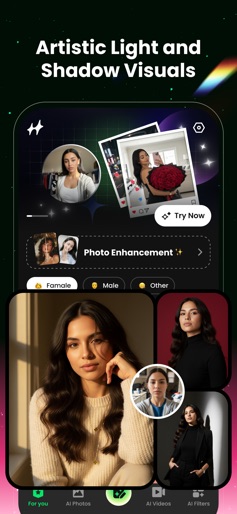
Hey Star is an AI-powered photo enhancer that brings your photos back to life. Whether your photos are blurry due to poor cameras, compression, or shaky shots—or you just want better portraits—Hey Star delivers studio-grade results in seconds. No complex editors needed—just upload a photo and let our advanced AI work its magic. Core Features AI Enhance: Improve quality, fix lighting, and make every detail crisp. AI Deblur: Turn pixelated, shaky, or out-of-focus shots into sharp HD images. AI Restore: Colorize black-and-white and revive old family photos. AI Erase: Seamlessly remove unwanted objects or people. Trending AI Video Effects Explore the hottest AI video effects from across social platforms. New filters and templates are added daily so you can stay on-trend on TikTok, X, Instagram, Facebook, and more. Built on cutting-edge AI with instant results Zero learning curve for pro-level edits Works great on selfies, portraits, landscapes, and old albums Clean, intuitive UI for everyone Subscribe to get unlimited access to premium features. Subscription periods: Weekly, Annual. Once you confirm the purchase, the payment will be charged to your iTunes account immediately. After purchase, you can manage your subscription and turn off auto-renewal in your account settings. Unless you turn off auto-renew at least 24 hours before the end of the current period, your subscription will renew automatically. Renewal charges will be applied to your account within 24 hours prior to the end of the current period. When you cancel, your subscription remains active until the end of the term. Auto-renewal will be disabled, but the current subscription will not be refunded. If a free trial is offered, any unused portion will be forfeited when you purchase a subscription. Terms of Service:https://www.heystarai.com/user.html Privacy Policy:https://www.heystarai.com/privacy.html
Create screenshots like HeyStar-AI Photo Editor
Use FlyerBanana's free editor to create professional App Store screenshots inspired by HeyStar-AI Photo Editor's design. 100+ templates, device frames, and one-click export.
More Entertainment Apps
View all

YouTube
Entertainment


Spotify: Music and Podcasts
Entertainment


TikTok - Videos, Shop & LIVE
Entertainment


Pandora: Music & Podcasts
Entertainment


Shazam: Find Music & Concerts
Entertainment


Photo Lab Picture Editor & Art
Entertainment