
App Store Screenshots (8)




Design Analysis
Visual Design
App Insights
About Health2Sync - Diabetes Tracker
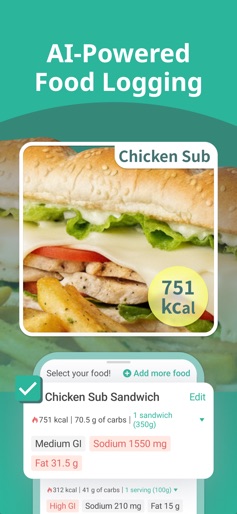
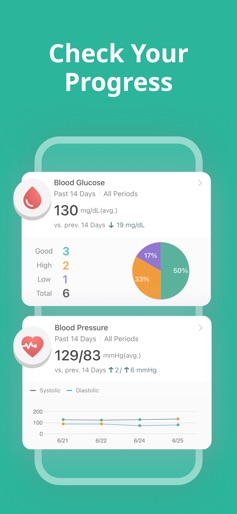
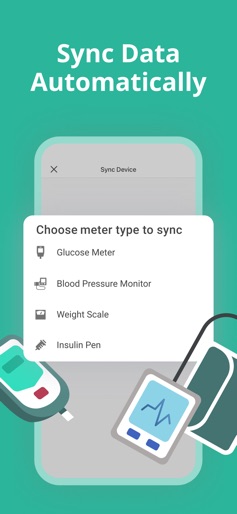
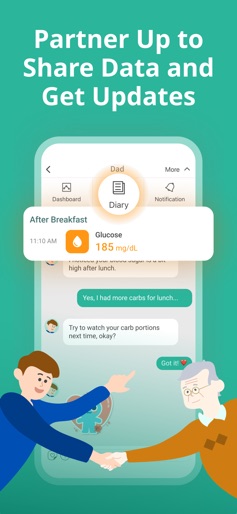
Selected by Healthline as one of the “Best Diabetes Apps” and featured in Techcrunch, Bloomberg, and MobiHealthNews, Health2Sync makes diabetes and blood sugar management easy for you. With over 1 million users and 10 years of product enhancements, Health2Sync is the go-to app for diabetes that provides all you need to manage your blood sugar in a simple and intuitive way. What can Health2Sync do for you: ● Track and organize all your blood sugar and behavior records in one place ● Learn how your blood sugar movements are related to your diet, exercise habits, and medication use ● Set up a diabetes management plan that makes sense for you ● See your health management progress over time ● Share your data to healthcare providers and family members Key features of Health2Sync: ● Log or sync your blood sugar, blood pressure, and weight readings. Over 40 Bluetooth glucose meters, blood pressure monitors, and weight scales are supported for syncing ● Record food you have eaten, exercises you’ve done, and medication you have taken ● Track over 60 lab test results (such as A1C and cholesterol) and view their trends over time ● View charts and analyses for the various types of data you logged ● Review, search & filter your previous logs ● Receive periodic summaries, feedback/reminders regarding your logs ● Add family members as partners to share your data with them ● Turn your data into a user-friendly PDF report that you can send to yourself or your care provider ● Export your records as Excel. We believe your data belongs to you! ● Sync with Fitbit and Apple Health For information regarding Health2Sync’s effectiveness in A1C and blood glucose control, you can read our peer-reviewed publications below: ● The Effects of Continuous Usage of a Diabetes Management App on Glycemic Control in Real-world Clinical Practice: Retrospective Analysis (https://www.jmir.org/2021/7/e23227) ● Real-world Benefits of Diabetes Management App Use and Self-monitoring of Blood Glucose on Glycemic Control: Retrospective Analyses (https://mhealth.jmir.org/2022/6/e31764) We know that diabetes management can be painful, tiring, and lonely. We really hope Health2Sync can make diabetes management easier and more meaningful to you. For more information about our app and our data syncing capabilities, please go to our website at https://www.health2sync.com. -- Jurisdiction Statement -- Not all devices listed in the Health2Sync app may be available in your country. Find whether your device has regulatory clearance on our website: https://www.health2sync.com/device_list_pdfs/device_availability.pdf Always check with the regulatory authority and/or the device manufacturer for confirmation before connecting your device with the Health2Sync app.
Create screenshots like Health2Sync - Diabetes Tracker
Use FlyerBanana's free editor to create professional App Store screenshots inspired by Health2Sync - Diabetes Tracker's design. 100+ templates, device frames, and one-click export.
More Health & Fitness Apps
View all

Flo Cycle & Period Tracker
Health & Fitness


CVS Health
Health & Fitness


Clue Cycle & Period Tracker
Health & Fitness


Headspace: Meditation & Sleep
Health & Fitness


Noom Weight Loss, Food Tracker
Health & Fitness


Impulse - Brain Training
Health & Fitness