App Store Screenshots (6)



Design Analysis
Visual Design
Style: Material Design
Key Features Shown
- •Multi-device sync
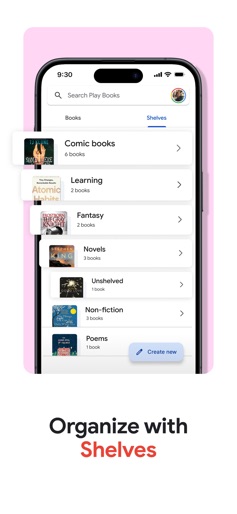
- •Custom Shelves
- •Family Library
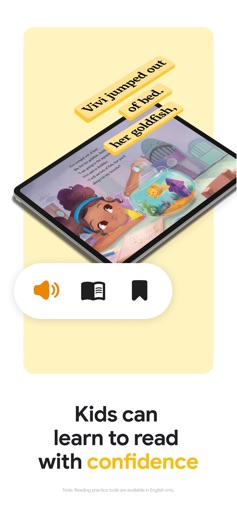
- •Kids Reading Tools
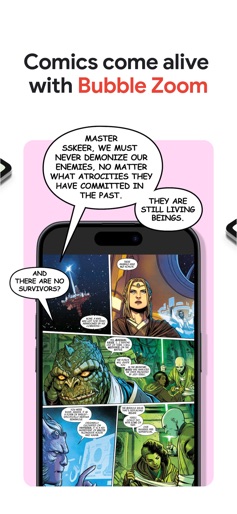
- •Bubble Zoom for Comics
App Insights
Target: Digital readers, students, audiobook listeners, and comic enthusiasts who utilize the Google ecosystem.
- •Pay-per-book sales
- •Audiobook purchases
- •Ecosystem lock-in
ASO Keywords:
About Google Play Books & Audiobooks
All the books you love. On the page or out loud. Anywhere you are. Dive into a world of stories with Google Play Books! Explore millions of ebooks, audiobooks, comics, and manga — all in one app. Key Features: • Your library, anywhere: Enjoy books on your phone, tablet, computer, or even in your car with CarPlay. Plus, you can download books to read offline. • Organize with shelves: Personalize your digital library with custom shelves to categorize your books by genre, author, or any theme you’d like. • Audio immersion: Enjoy a vast library of audiobooks with customizable playback speed, sleep timers, and bookmarking to enhance your listening experience. • Smart notes: Jot down notes while you read that sync with your Google Drive and can be shared for easy collaboration. • Kid–friendly reading tools: Let kids explore word definitions or listen to books aloud. Note: Reading tools are available in English only. • Immersive comics: Experience Bubble Zoom for a specialized comic and manga reading experience. • Hands–free reading: Control your audiobook with your voice using Siri. • Read your way: Customize your reading experience by adjusting the font, text size, brightness, and more. Millions of stories await on Google Play Books! Download now and start reading.
Create screenshots like Google Play Books & Audiobooks
Use FlyerBanana's free editor to create professional App Store screenshots inspired by Google Play Books & Audiobooks's design. 100+ templates, device frames, and one-click export.