
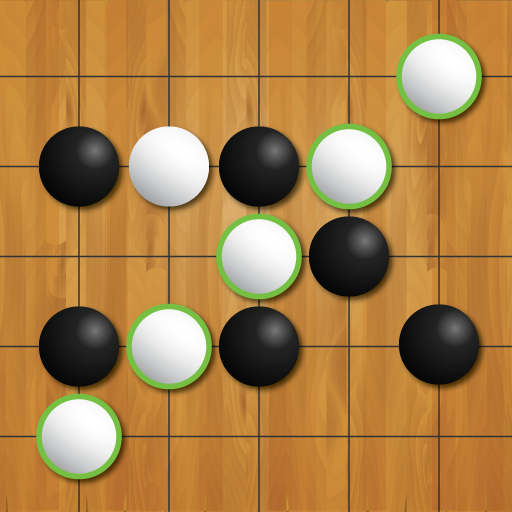
App Store Screenshots (7)


Design Analysis
Visual Design
Style: Custom
Key Features Shown
- •Classic Gameplay
- •5 Difficulty Levels
- •4 Board Size Options
- •Thematic Backgrounds (Panda, Zen Garden)
- •Timer and Undo features
App Insights
Target: Casual gamers and strategy enthusiasts interested in traditional Asian board games (Gomoku, Renju, Caro).
- •Ad-supported (Interstitials, Reward videos)
- •In-App Purchases (Ad removal)
ASO Keywords:
About Gomoku
Dive into Gomoku: The Classic Five in a Row, Now on Your Phone! Dive into Gomoku: The Classic Five in a Row, Now on Your Phone! Explore the timeless strategy of Gomoku, also known as Five in a Row, Caro, Omok, Renju, or Gobang. This classic board game, traditionally played on a 15x15 intersection Go board, challenges players to align five stones in an unbroken row to claim victory. Gomoku brings this captivating game right to your phone, retaining the authentic feel of playing with black and white Go pieces. Whether it's family game night or a solo challenge against diverse AI opponents, this mobile version caters to all. With five difficulty levels ranging from Easy to Expert, even the most skilled players will find themselves tested. Each victory in Gomoku is not just a mark of pride but also earns you experience points, increasing from +1 for Easy to a challenging +7 for Expert wins. Key Features: * Convenient Undo function. * Ability to Save and Load games in progress. * A range of AI difficulties, offering five levels to test your skills. * Timer-based gameplay for added excitement. * Custom board editor for a personalized gaming experience. * A variety of board and piece sets to choose from. * Zoom in and out for the best view. * Multiple board sizes for varied gameplay: select from 9x9, 11x11, 13x13, and the classic 15x15. Embrace the free-style version of Gomoku supported in this game, where forming a row of five or more stones leads you to victory. Get ready to enjoy the strategic depth of Gomoku on your phone!"
Create screenshots like Gomoku
Use FlyerBanana's free editor to create professional App Store screenshots inspired by Gomoku's design. 100+ templates, device frames, and one-click export.






