
App Store Screenshots (10)


Design Analysis
Visual Design
App Insights
About Glam AI: Video & Photo Editor
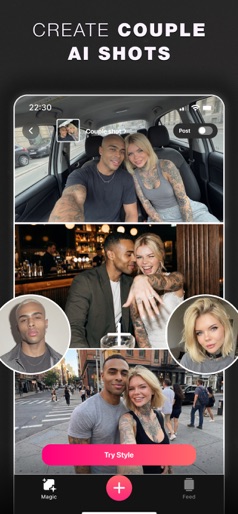
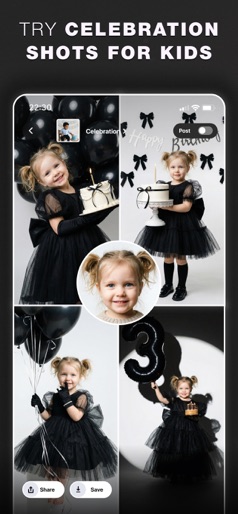
Looking for a way to go viral easily? Meet Glam AI - your all‑in‑one AI studio for Photo & Video. Turn one selfie into a full AI lifelike photoshoot, animate any image into high‑quality video, create viral effects for business, and generate talking avatars for ads or socials. No studio, no complex editing - just ideas, templates, and AI! What you can make? 【 AI Photoshoots 】 Upload a single photo and get a complete, realistic shoot in multiple looks. Choose from studio black‑and‑white, sunset beach, travel, and more. 【 AI Daily Shots 】 Build your profile once and receive a daily feed of inspiration. Recreate trending aesthetics with your own face - perfect for creators and brand visuals. 【 Image → Video 】 Animate any image into smooth, high‑quality motion. Use your AI photos or real shots to produce attention‑grabbing clips. 【 AI Video Effects 】 Transform your video with stylized looks and special effects - anime, fire, and other viral, on‑trend options that pop in the feed. 【 AI Chat (Prompt Studio) 】 Describe what you want - photos, videos, styles, or effects - and let AI generate and refine until it’s exactly right. 【 AI Avatars (Talking) 】 Create avatars that speak your script with realistic lip‑sync. Ideal for ads, explainers, and social promos. 【 AI Business Effects 】 Stand‑out visuals for products and services: 3D billboards, product animations, miniature people, logo effects, and more. 【 AI Reels Templates 】 Make vertical, reel‑ready videos in seconds. Pick a template, drop in your content, and publish - no lengthy edits or music hunting. Why Glam AI? • Studio‑quality results without a studio • Templates for speed, prompts for full control • One app that replaces many tools - for your blog, business, or just for fun • Be the first one to try trendy features and make your content even better with Glam AI! Glam AI team is always looking for ways to improve the app. So don’t hesitate to send us your ideas and feedback: * email - support@glamlabs.app * Instagram - @glam_app * Threads - @glam_app * Tiktok - @glamai_app * X - @glamai_app ————————————————————————————————————— Use #glamapp #glamai to tag us in your Social Medias ————————————————————————————————————— Terms of Use: https://getglam.app/terms Privacy Policy: https://getglam.app/privacy ————————————————————————————————————— The app includes safety filters and content moderation to prevent the generation of inappropriate or harmful content.
Create screenshots like Glam AI: Video & Photo Editor
Use FlyerBanana's free editor to create professional App Store screenshots inspired by Glam AI: Video & Photo Editor's design. 100+ templates, device frames, and one-click export.
More Entertainment Apps
View all

YouTube
Entertainment


Spotify: Music and Podcasts
Entertainment


TikTok - Videos, Shop & LIVE
Entertainment


Pandora: Music & Podcasts
Entertainment


Shazam: Find Music & Concerts
Entertainment


Photo Lab Picture Editor & Art
Entertainment