App Store Screenshots (18)




Design Analysis
Visual Design
Style: Custom
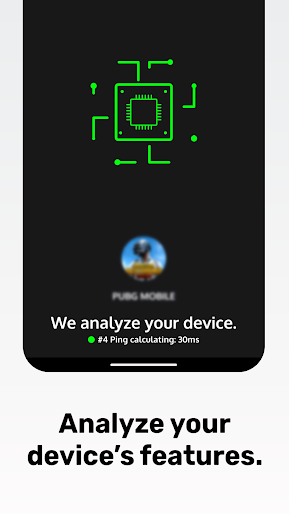
Key Features Shown
- •Real-time analytics overlay
- •RAM usage gauge
- •Game Launcher
- •Ping/FPS/Storage/Temp dashboard
App Insights
Target: Competitive mobile gamers using mid-to-low-end Android devices in emerging markets who experience lag or performance drops.
- •In-app purchases (Remove Ads)
- •Interstitial ads
- •Rewarded video ads
ASO Keywords:
About Game Booster: Game Turbo
Focus on game performance, manage, and analyze it. 📈 Real-Time Performance Listener With this feature, you can monitor your device's performance in real-time on a dedicated panel that works simultaneously with your games, allowing you to instantly detect performance issues. After the game, you can review the data in detail. Thanks to this feature, you can identify your device's FPS and network latency problems. This is the first step in accelerating your games. 🎮 Game Turbo Controller Especially in high-graphic games, there can be an excessive load on the GPU, triggering issues like frame rate drops and phone overheating. You can manage various performance issues from a single screen. 🌐 Ping Monitoring You can see real-time network latency data in the corner of the screen. A good network connection speeds up your games. 🚀 Amazing FPS Tracker Low FPS can lead to stutters and freezing on your device. You can view FPS values while playing your games. 🕹️ Game Launcher You can launch your games with a single touch as soon as you enter the Game Booster. 🚨 Important Information! The primary purpose of this application is to start your games from a single place while also conducting a detailed device analysis. This application does not have the function of accelerating games, and it does not promise to do so. This application can provide you with analysis data regarding your device's performance. It also allows you to better analyze your games with different tools and facilitates accurate interventions. For example, if your device has low FPS values, you can detect this issue more quickly.
Create screenshots like Game Booster: Game Turbo
Use FlyerBanana's free editor to create professional App Store screenshots inspired by Game Booster: Game Turbo's design. 100+ templates, device frames, and one-click export.