
FAX from iPhone・Send & Receive
Plekmin Trade, S.L.
Create Screenshots Like FAX from iPhone・Send & ReceiveApp Store Screenshots (10)




Design Analysis
Visual Design
App Insights
About FAX from iPhone・Send & Receive
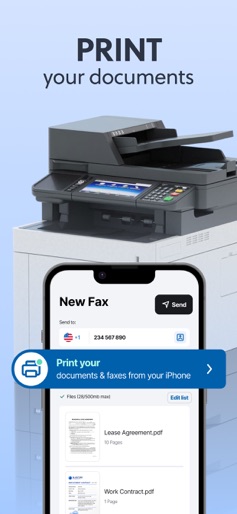
Fax from your iPhone internationally — send and receive faxes quickly and easily! Turn your device into a portable fax and print machine for your pocket. Save time by avoiding trips to fax offices and the use of outdated machines. - Send documents and files on the go to any of your smartphone contacts, or add a recipient manually. - Receive faxes directly on your iPhone and turn it into your personal fax inbox, accessible anytime. - Print your documents directly from the app with just a few taps. ■ KEY FEATURES: › SEND ANY TYPE OF FILE Upload and send documents in the most common formats (PDF, JPEG, DOC, DOCX, TXT, XLS and XLXS). Best possible fax quality for all document types. Deliver faxes to up to 5 addresses at the same time. › RECEIVE FAXES ON YOUR DEVICE Get your own dedicated fax number and receive faxes anywhere, anytime. View incoming faxes within the app, save them and keep your digital records organized. No need for a physical machine — just your phone. › PRINT DOCUMENTS Send your documents directly to a printer from the app. Works with all major printer brands, including Canon, Epson, HP, Brother, Kodak, Samsung and more. › UNLIMITED UPLOAD OPTIONS Directly scan documents with your camera. Upload images from your media and photo library. Add files from your document archives. › GET NOTIFICATIONS Get instant notifications when your fax has been successfully sent or if there have been any errors during the process. Receive alerts when a new fax has arrived in your inbox. › ADD A COVER PAGE TO YOUR FAXES Include a cover page when sending files to provide more information. Add a text message to your fax. Quickly and easily fill in our professional template with the name and contact of the recipient. › POWERFUL TRACKING Track and manage all your faxes in chronological order. Review your sent documents and the faxes which are currently being sent. Check important information such as fax number, sending status, fax time and date. Access your received faxes at any time and download or share them when needed. ■ MORE INFO: Activate and cancel your subscription according to your needs. Terms of use: https://faxer.app/terms-of-use Privacy policy: https://faxer.app/privacy-policy For app support please contact us at: info@faxer.app Download now and turn your mobile device into a portable fax machine!
Create screenshots like FAX from iPhone・Send & Receive
Use FlyerBanana's free editor to create professional App Store screenshots inspired by FAX from iPhone・Send & Receive's design. 100+ templates, device frames, and one-click export.











