

App Store Screenshots (6)


Design Analysis
Visual Design
App Insights
About Fax from iPhone - Send Docs
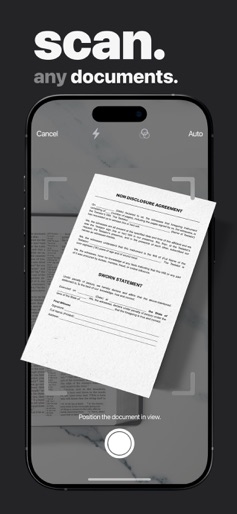
Effortlessly Send Fax with mFax App – Your Ultimate iPhone Fax Solution In a fast-paced world where secure communication is crucial, many professionals still rely on faxing important documents. mFax App transforms your iPhone into a versatile faxing tool, revolutionizing how you send faxes in the digital age. mFax App: The Smart Solution to Fax from iPhone Welcome to the future of faxing with mFax App. Utilizing advanced Internet Protocol (IP) technology, mFax App lets you send fax documents seamlessly over the internet, directly from your iPhone. Say goodbye to bulky fax machines and landlines; with mFax App, your iPhone is the most convenient way to fax anywhere, anytime. Send Fax from iPhone: Simple, Swift, and Eco-Friendly mFax App makes it incredibly easy to fax from your iPhone. In just a few quick steps, you can send any document, whether you’re at home, in the office, or on the move. Additionally, by choosing to fax from your iPhone, you’re contributing to an eco-friendly method of business communication. Boost Your iPhone’s Faxing Capabilities with These Features: ► 24/7 Faxing: Fax from iPhone whenever needed, without time restrictions. ► Proof of Fax Delivery: Receive confirmation for every fax you send from your iPhone, providing peace of mind and accountability. ► Quick Document Scanning: The app’s scanner allows you to capture and edit documents swiftly for faxing from iPhone. ► Multiple File Formats: Fax App supports various formats including PDF, DOC, JPG, PNG, TIFF, and HTML for faxing. ► Comprehensive Fax History: Track every fax you send, keeping you organized. ► Electronic Signatures: Add your signature to documents faxed from your iPhone, ensuring authenticity and security. Why Fax App is the Best Choice for Faxing from iPhone Fax App stands out for its simplicity and efficiency, making it the top choice for faxing from iPhone: ► Effortless Faxing: With just a few taps on your iPhone, send fax to any number worldwide. ► Mobility and Flexibility: Turn your iPhone into a powerful fax machine, enabling you to fax on the go. ► Unparalleled Security: Trust Fax App to keep your faxes secure and accessible whenever needed. Start Faxing from iPhone Today with Fax App Ready to transform your faxing experience? Download Fax App now and join the revolution of convenient, fast, and secure faxing from your iPhone. Perfect for both personal and professional faxing needs. Subscription Renewal Information: Payment is charged to your iTunes Account upon confirmation of purchase. Subscriptions automatically renew unless auto-renew is turned off at least 24 hours before the end of the current period. The renewal cost depends on the selected plan. Manage subscriptions and disable auto-renewal in Account Settings after purchase. EULA: https://www.apple.com/legal/internet-services/itunes/dev/stdeula/ Terms of Use: https://mfax.to/terms Privacy Policy: https://mfax.to/privacy iPhone and iPad are trademarks of Apple Inc.
Create screenshots like Fax from iPhone - Send Docs
Use FlyerBanana's free editor to create professional App Store screenshots inspired by Fax from iPhone - Send Docs's design. 100+ templates, device frames, and one-click export.











