

App Store Screenshots (6)


Design Analysis
Visual Design
App Insights
About Esti: Aesthetic Photo Editor
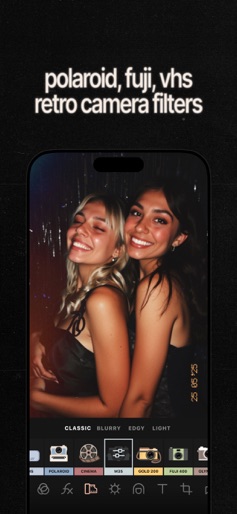
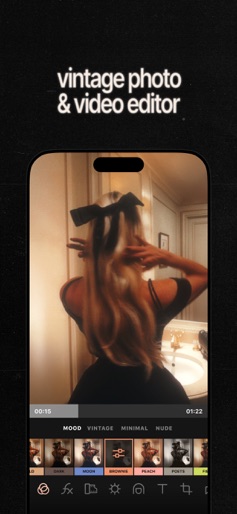
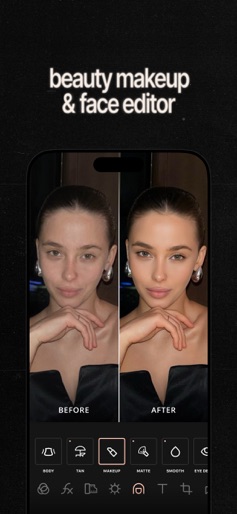
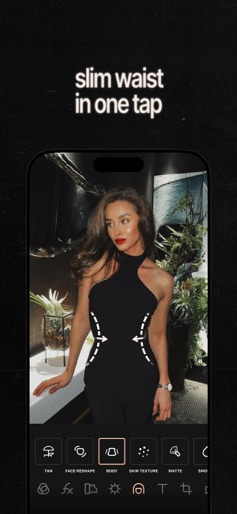
Esti? Easy: an app that makes creating beautiful “Insta-worthy” content easier. The essential toolkit for those with taste but very little time — get it to create something consistently appealing, aesthetic, and authentic. If you want your socials profiles or blog to have consistent and attractive visuals but do not want to spend a lot of time on the content editing, Esti is just the app for you — it aims to provide all the essential tools to make sophisticated and authentic content without all the hassle. With features such as batch editing, preset creation, and multiple tasteful filters and film effects, Esti becomes THE perfect content creator app with an aesthetic vibe in mind. ► BATCH EDITING: Have a bunch of shots to edit at once? Replicate the same editing between them; ► FILTERS: Make those colors work for you, easily adding a filter that suits your mood: minimal, retro, and more; ► FILM EFFECTS: Give photos some extra soul with effects evoking Polaroid, VCR, Kodak, Super8, and Fuji; ► ADJUSTMENTS: Getting close to your unique vision but not just yet? Turn to pro-grade light, color, and detail adjustments, including HSL, Grain, Blur. ► TOUCH UPS: Feeling like needing to do a bit more? We got you covered with extra Tan, more Hair volume. ► OVERLAYS: Add the last bit of depth with manually-designed textures like dust, paper, plastic, and light leaks; ► PRESETS: Created a look you like? Turn it into a preset to use later without extra steps; ► VIDEOS: Oh, and all the same filters, effects, and adjustments work on videos as well. Subscription ► Esti Pro may offer different subscription plans. Depending on the subscription plan chosen, subscriptions may be billed weekly, monthly or annually. ► Subscription for Esti Pro auto-renews at the cost of the chosen subscription plan unless cancelled 24 hours in advance prior to the end of the then-current subscription term. Unless you cancel the subscription before the billing date, you will be automatically charged the subscription fee for the next billing cycle in accordance with the conditions of the subscription plan chosen. Subscription Policy - https://esti.app/subscription-policy Privacy Policy - https://esti.app/privacy-policy Terms of Use - https://esti.app/term-of-use Help Center - https://estiapp.zendesk.com/hc/en-us
Create screenshots like Esti: Aesthetic Photo Editor
Use FlyerBanana's free editor to create professional App Store screenshots inspired by Esti: Aesthetic Photo Editor's design. 100+ templates, device frames, and one-click export.
More Entertainment Apps
View all

YouTube
Entertainment


Spotify: Music and Podcasts
Entertainment


TikTok - Videos, Shop & LIVE
Entertainment


Pandora: Music & Podcasts
Entertainment


Shazam: Find Music & Concerts
Entertainment


Photo Lab Picture Editor & Art
Entertainment