
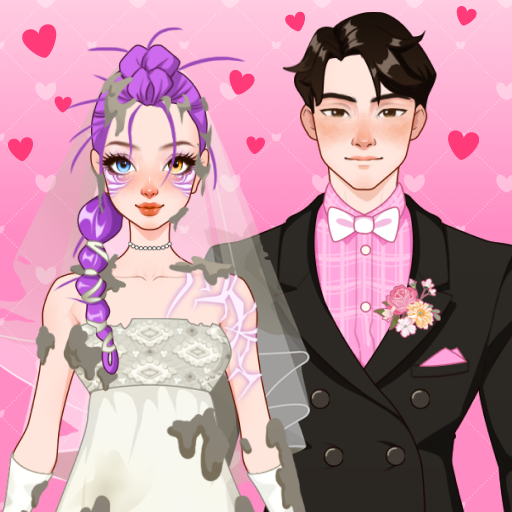
App Store Screenshots (7)


Design Analysis
Visual Design
Style: Custom
Key Features Shown
- •Character Customization
- •Fashion Battle (VS Mode)
- •Makeup Application
- •Diary/Journaling
- •Story-driven levels
App Insights
Target: Young children (ages 6-12) and teenage fashion enthusiasts interested in K-pop aesthetics and digital paper dolls.
- •Interstitial Ads
- •Rewarded Video Ads
- •In-App Purchases (IAP) to remove ads
- •Unlockable premium clothing items
ASO Keywords:
About Doll Diary: Kpop Dolly DIY
🌷 Makeover With Paper Doll Diary: Kpop Dolly DIY Step into the enchanting world of Paper Dolls, where fashion meets imagination! Join a shy yet charming New Girl starting her journey as a transfer student. Help her navigate school life, express herself, and shine like the Shy Star she’s destined to become. With your creative touch, transform her from the Girl Next Door into a true fashion icon! 📖 What’s the story? Your doll is a transfer student at a new school, filled with exciting challenges and opportunities. From choosing outfits to making new friends, every choice you make creates memories for her personal Doll Diary. Design her unique look, boost her confidence, and make each day unforgettable! With Paper Doll Diary: Kpop Dolly DIY, You Can: 👗 Be a Fashionista: Pick stunning outfits, shoes, and accessories for every occasion – from casual school days to glamorous parties! 💄 Give a Magical Makeover: Customize her eye color, hairstyle, and makeup to create a doll that’s truly one of a kind. 📸 Keep a Fashion Diary: Snap photos of your doll in adorable outfits and record memories in her stylish journal. 🌟 Unlock Endless Styles: Explore and unlock fashion themes ranging from cute and cozy to chic and fabulous. Why You’ll Love It 🎉 Express Your Creativity: Mix and match over 1000+ fashion items to design the perfect look. 👠 Perfect for Fashion Lovers: Endless combinations of outfits and accessories for ultimate fun. 🧸 Kid-Friendly Fun: Easy-to-play controls make this game perfect for young fashion enthusiasts. 🌈 Start Your Doll’s Journey Today! Join Paper Doll Diary: Kpop Dolly DIY now and turn every day into a fashionable adventure. Help the New Girl shine in her new school, one outfit at a time!
Create screenshots like Doll Diary: Kpop Dolly DIY
Use FlyerBanana's free editor to create professional App Store screenshots inspired by Doll Diary: Kpop Dolly DIY's design. 100+ templates, device frames, and one-click export.









