

App Store Screenshots (4)

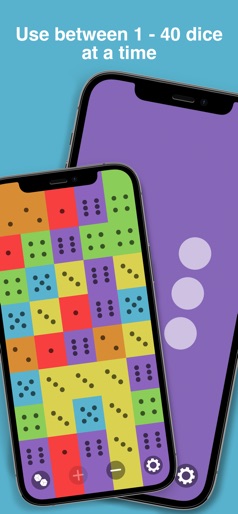

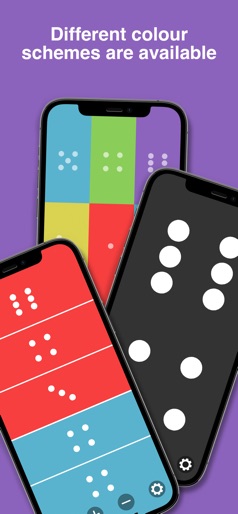
Design Analysis
Visual Design
Style: iOS Native
Key Features Shown
- •Custom dice ranges (1-100)
- •Bulk rolling (up to 40 dice)
- •Settings menu for haptics and sounds
- •Multiple color schemes
App Insights
Target: Tabletop gamers, RPG enthusiasts (D&D), board game players who lost physical dice, and educators.
- •In-App Purchases (likely Ad Removal)
- •Display Advertising (implied by high downloads/low revenue ratio)
ASO Keywords:
About Dice Roller!
Whether you need a simple dice roller or fully custom, this app is great for board games like Monopoly and Risk as well as role playing games like Dungeons & Dragons. With sounds, animations, haptic feedback, and a huge variety of options so that you can customize the dice to be just how you need. Features available include: - Roll 1 - 40 Dice at a time. - Choose a preset dice range such as 1 - 6 or customize any dice range 0 - 100. - Choose from a variety of different colors that can be customized to each dice. - Dice values can be displayed as dots or numbers. - Animation can be a full roll effect, a reduced animation or none at a variety of speeds. - Dice can be rolled with tap, a shake or both. - Individual dice can be locked to allow rolling just some of the current dice. - Shaking and rolling sounds as well as haptic feedback. - Total of all dice rolled can be displayed after each roll.
Create screenshots like Dice Roller!
Use FlyerBanana's free editor to create professional App Store screenshots inspired by Dice Roller!'s design. 100+ templates, device frames, and one-click export.






