

App Store Screenshots (5)




Design Analysis
Visual Design
App Insights
About Defense Legend 5: Survivor TD
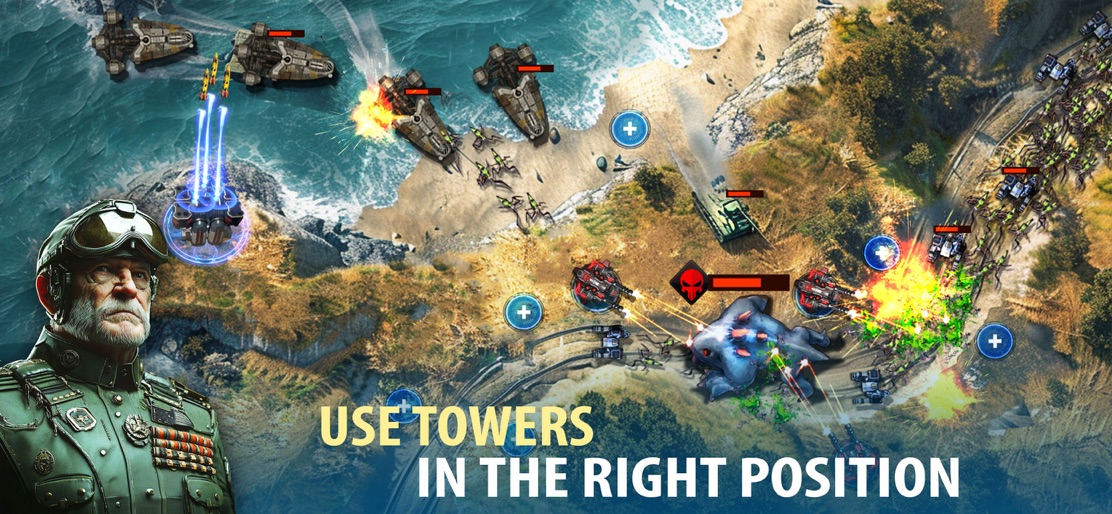
Defense Legend 5: Build a defense - TD strategy to protect the peace. In the future, after the attacks of dark forces. The Earth has suffered enormous damage. The last line of defense had fallen. Those attacks caused the environment on earth to change no longer suitable for human habitation. A project to migrate to other habitable planets is underway with tower defense strategy. Legions are fully equipped with resources and equipment to rebuild new lives. Wake up on a spaceship in the middle of a new planet with suitable living conditions. Your mission is to rebuild your new life. One day, you realize that legions of bizarre monsters appear one after another, hunting and destroying all living things in their route. As a commander, it is your responsibility to command and strategize defense against enemies to protect humans from the attacks of space monsters. Attack or defense? One small decision can drastically impact the direction of an entire campaign. The game is fascinated by the compelling storyline throughout the Defense Legend game series. The core nature of the tower defense game remains unchanged. At each level, the complexity rises, forcing you to adapt your tactics and skills to use the equipment. It is exciting and attractive to lovers of the tower defense game genre. FEATURES: - Command the legion against the invasion of monsters in the TD games - Build turrets, and upgrade weapons to increase strength and combat ability. - Upgrade your spaceship to build an invincible fleet. - A place to demonstrate the tactics, strategies, and skills of a talented commander - Fight against monsters on all terrains from the air, forests, and deserts… to icy places, because of this, tactics and strategies must be extremely flexible to suit the challenges presented by tower defense games. INSTRUCTION: - Choose the appropriate commander and turret for each terrain. - Put weapons in convenient positions to defend easily. - Collect resources, and upgrade weapons to increase the legion's strength. - Destroy all enemies, and protect the headquarters. Download Defense Legend 5: Survivor TD now and come up with strategic moves for TD. Join the community: -Facebook: https://www.facebook.com/groups/605531618854195
Create screenshots like Defense Legend 5: Survivor TD
Use FlyerBanana's free editor to create professional App Store screenshots inspired by Defense Legend 5: Survivor TD's design. 100+ templates, device frames, and one-click export.










