
App Store Screenshots (8)
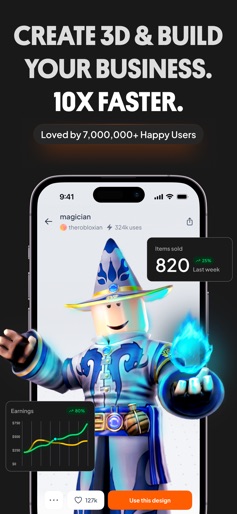
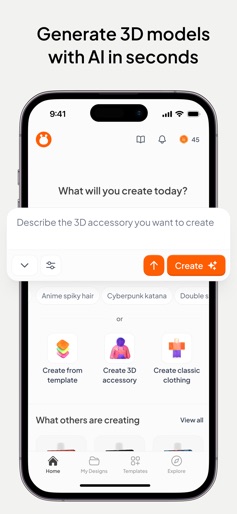
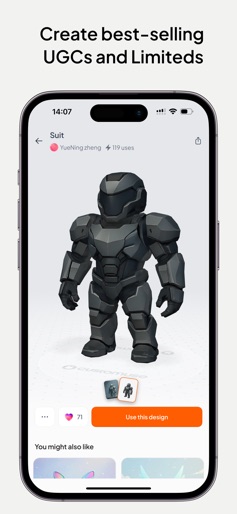


Design Analysis
Visual Design
Style: Custom
Key Features Shown
- •AI 3D Generation
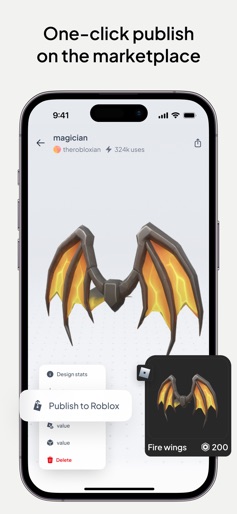
- •UGC Item Marketplace
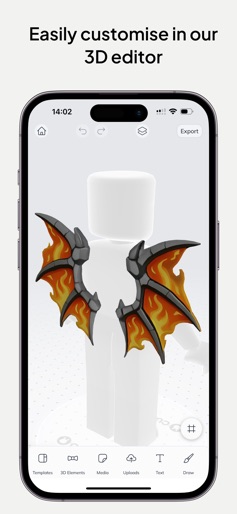
- •3D Texture Editor
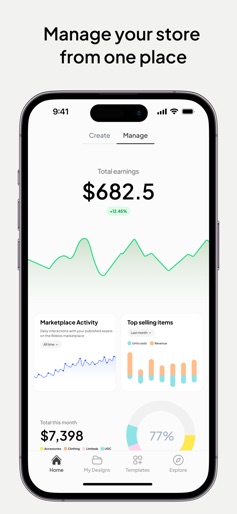
- •Earnings Analytics Dashboard
- •Template-based Creation
App Insights
Target: Gen Z and Alpha Roblox creators, aspiring digital fashion designers, and social media influencers looking for custom AR filters.
- •Weekly/Annual Subscriptions
- •Consumable In-App Purchases (Custocoins/Tokens)
- •Tiered Pro Features
ASO Keywords:
About Customuse: Skins Maker Roblox
Customuse is a powerful 3D design studio built for creators. With over 2 million users worldwide, it’s the go-to tool for designing custom skins, outfits, and digital fashion for avatar-based platforms, games, and social media. Whether you’re just starting out or refining your workflow, Customuse helps you bring your ideas to life. AVATAR & OUTFIT DESIGN • Create unique shirts, pants, and accessories • Use advanced 2D and 3D editing tools • Preview outfits on realistic, customizable avatars • Start from templates or build from scratch • Export in formats compatible with sandbox games and avatar platforms • Save time and resources by designing your own looks SKIN CREATOR FOR GAMES • Design original skins for character-based games • Add 3D accessories, patterns, and fine details • View your design in real-time 3D • Export in just one click • Save multiple versions and use layers for depth • Explore trending looks and get inspired DIGITAL FASHION STUDIO • Build full fashion collections and accessories • Create for different body types and poses • Access premium texture and fabric libraries • Share your looks on supported marketplaces • Earn rewards and grow your virtual wardrobe SOCIAL FILTER CREATOR • Create custom AR filters for Instagram, TikTok, and Snapchat • Add face tracking, interactivity, and environmental effects • Test filters in real time and publish with ease • Design content that stands out on every platform PRO TOOLS & FEATURES • Clean drag-and-drop interface • High-precision brushes, symmetry, and layer control • Real-time 3D preview and texture mapping • Custom palettes and resolution scaling • Format conversion and cloud-based storage • Regular updates with new tools and templates COMMUNITY • Join a global network of creators and designers • Share your work and get feedback • Explore community-made looks • Take part in challenges and grow your profile GET STARTED FREE • Unlimited basic designs • Access essential design tools and templates • Join the Customuse creator community OPTIONAL PRO FEATURES • Unlock premium design tools and advanced export settings • Access additional templates and textures • Extra cloud storage • Priority support from our team Community: https://discord.com/invite/customuse Privacy Policy: https://customuse.com/privacy Terms of Use: https://customuse.com/terms Disclaimer: Customuse is an independent creation platform and is not affiliated with Roblox Corporation, Mojang AB, Naver Z, Snap Inc., Meta, or ByteDance. All trademarks belong to their respective owners.
Create screenshots like Customuse: Skins Maker Roblox
Use FlyerBanana's free editor to create professional App Store screenshots inspired by Customuse: Skins Maker Roblox's design. 100+ templates, device frames, and one-click export.
More Creativity Apps
View all

Craftsman: Building Craft
Creativity


Video Editor & Maker - InShot
Creativity


Color by Number:Coloring Games
Creativity


Picsart AI Photo Editor, Video
Creativity


Filmora: AI Video Editor&Maker
Creativity


GoPro Quik
Creativity