

App Store Screenshots (5)
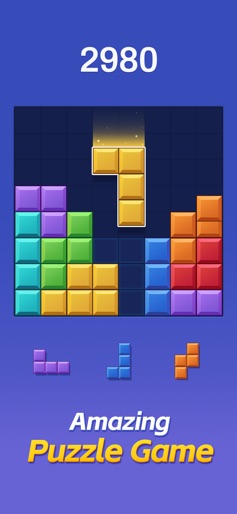

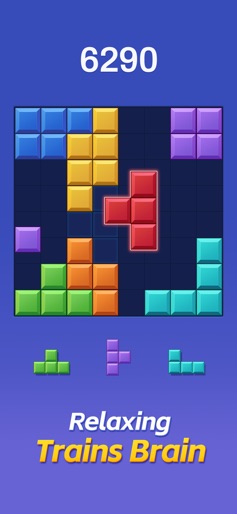
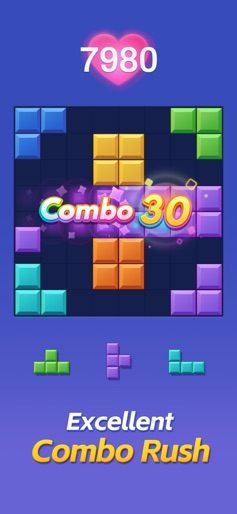

Design Analysis
Visual Design
Style: Custom
Key Features Shown
- •Score tracking
- •Combo multipliers
- •Daily Challenges
- •Brain training positioning
- •Collectable 'Adventure' items (Teddy Bears)
App Insights
Target: Casual mobile gamers and puzzle enthusiasts, specifically targeting users looking for 'Block Blast' alternatives or those with age-restricted App Store profiles.
- •Interstitial ads
- •Rewarded video ads
- •In-app purchases (Remove Ads)
- •In-app purchases (Currency/Revives)
ASO Keywords:
About Color Block: Combo Blast
Color Block: The Ultimate Classic Block Puzzle Adventure Experience the Timeless Classic of Block Puzzle Games with a Classic Twist! Color Block is the ultimate fusion of strategic thinking and vibrant fun, bringing the classic block-dropping gameplay into a new dimension of block puzzles. This free block game is designed for puzzle enthusiasts seeking an adventure that challenges the brain and provides endless entertainment. Key Features of Color Block: - Classic Block-Dropping Gameplay: Enjoy the familiar joy of block-dropping action, reimagined for a new generation of puzzle games. - Puzzle Mastery: Test your wits and outsmart the game with strategic moves to clear lines and rack up points. - Block Games Redefined: The classic block blast experience gets a fresh update, perfect for both new and seasoned players. - Brain-Boosting Adventure: Engage in a mental workout that stimulates your cognitive skills and hones your problem-solving abilities. - Classic Challenge: Dive into the nostalgia of classic block puzzles with a modern twist that keeps you hooked. - Stunning Visuals: Immerse yourself in the vibrant colors and animations that bring each block to life. How to Play Color Block: - Drag and Drop: Touch and move the blocks to the 8x8 grid with intuitive mechanics. - Strategic Clearing: Aim to fill rows or columns to clear them and score points. - Combo Creation: Keep your combos alive by clearing lines within three moves, pushing your puzzle prowess to new heights. - Non-Rotatable Blocks: Add a layer of complexity and strategy to your gameplay, as blocks don't rotate, challenging you to think ahead. Tips for Becoming a Block Puzzle Master: - Anticipate and Plan: Visualize several moves ahead to set up the perfect combo chains. - Optimize Space: Use the grid efficiently to maximize block placement options and create more clearing opportunities. - Patience is Key: Take your time to strategize; quick moves can sometimes disrupt the potential for high-scoring combos. - Adapt and Overcome: As the game progresses, adapt your strategy to the evolving patterns and challenges. Embark on a brain-stimulating adventure that bridges the gap between classic and modern block games. Color Block offers a unique blend of classic block-dropping action and puzzle-solving fun, providing a classic challenge with a fresh twist. Privacy Policy: http://www.flyyestechnology.com/index.php/privacy-policy/ Terms Of Use:http://http://www.flyyestechnology.com/index.php/terms-of-use/
Create screenshots like Color Block: Combo Blast
Use FlyerBanana's free editor to create professional App Store screenshots inspired by Color Block: Combo Blast's design. 100+ templates, device frames, and one-click export.









