

App Store Screenshots (5)
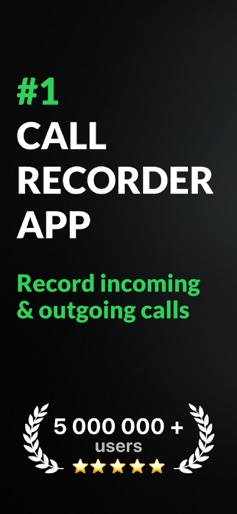


Design Analysis
Visual Design
App Insights
About Call Recorder for iPhone.
Call Recorder for iPhone allows you to save any incoming and outgoing call in seconds. Easily turn your phone conversations into handy voice notes for later use. Ever forgot names, numbers, dates, or places that were mentioned during the call? Don't always have a notebook to write important details that come up in a phone conversation? Tired of people denying their own words? Wouldn't it be nice to have a phone call recording to resolve any dispute? Call Recorder for iPhone - a must-have app for personal as well as business calls. Hiring managers, journalists, lawyers, businessmen, other professionals, and anyone wanting to record phone calls will enjoy using the call recorder app. Get Call Recorder for iPhone now to: - Save every detail of each personal or business call - Access and listen to your recordings anytime, anywhere - Share phone calls with other people and apps Best features of Call Recorder for iPhone: - No limits on the recording of incoming and outgoing calls; - Enjoy clear calls with a high-quality recording; - Easily add the contacts you need and start recording; - Listen to your calls in the background, you don't need the application open; - Manage your records, search and find them with ease; - Automated voice to text transcription: turn your call recordings into text with just one tap.Rename records if you need to; - Translation to all languages: translate your transcribed conversations; - Take care about the memory of your iPhone and delete records you don't need. Call Recorder for iPhone ensures outstanding experience by being user-friendly and very easy to use. The configuration process is as simple as possible so that you could enjoy your call recording right away. Call Recorder For iPhone" uses the "Conference" function of the user's operator to record calls. We offer a wide range of subscription options so that you can choose the right one for you (annual access renewal, monthly access renewal, weekly renewal with a 3-day free trial). You can cancel your subscription at any moment in your iTunes account settings, but refunds will not be provided for any unused portion of the terms. Payment will be charged to your iTunes Account at purchase confirmation. Any unused portion of a free trial period, if offered, will be forfeited when the user purchases a subscription to that publication, where applicable. Detailed information on our Terms of Use and Privacy Policy is available here: https://callrecorderios.com/privacy-policy https://callrecorderios.com/terms-of-use https://callrecorderios.com/license-agreement
Create screenshots like Call Recorder for iPhone.
Use FlyerBanana's free editor to create professional App Store screenshots inspired by Call Recorder for iPhone.'s design. 100+ templates, device frames, and one-click export.











