Building World: Pixel Craft icon

Building World: Pixel Craft

devs 242=2442-2=42=4

Creative
3.2(67 ratings)
Free
Create Screenshots Like Building World: Pixel Craft

App Store Screenshots (28)

Building World: Pixel Craft screenshot 1
Building World: Pixel Craft screenshot 2
Building World: Pixel Craft screenshot 3
Building World: Pixel Craft screenshot 4
Building World: Pixel Craft screenshot 5
Building World: Pixel Craft screenshot 6
Building World: Pixel Craft screenshot 7
Building World: Pixel Craft screenshot 8
Building World: Pixel Craft screenshot 9
Building World: Pixel Craft screenshot 10
Building World: Pixel Craft screenshot 11
Building World: Pixel Craft screenshot 12
Building World: Pixel Craft screenshot 13
Building World: Pixel Craft screenshot 14
Building World: Pixel Craft screenshot 15
Building World: Pixel Craft screenshot 16
Building World: Pixel Craft screenshot 17
Building World: Pixel Craft screenshot 18
Building World: Pixel Craft screenshot 19
Building World: Pixel Craft screenshot 20
Building World: Pixel Craft screenshot 21
Building World: Pixel Craft screenshot 22
Building World: Pixel Craft screenshot 23
Building World: Pixel Craft screenshot 24
Building World: Pixel Craft screenshot 25
Building World: Pixel Craft screenshot 26
Building World: Pixel Craft screenshot 27
Building World: Pixel Craft screenshot 28

Design Analysis

Visual Design

Style: Custom

Colors:
accent
primary
secondary
On-screen joystick (invisible/minimal)Fast-forward/Action button in bottom rightFirst-person/Third-person hybrid perspective

Key Features Shown

  • Large-scale city building
  • Garden and park design
  • Interior/Exterior block placement
  • Water physics/features
  • Complex architecture (Clock towers, castles)

App Insights

Target: Casual gamers and children in emerging markets looking for free Minecraft-like sandbox experiences on low-end Android devices.

Monetization:
  • Interstitial Ads
  • Banner Ads

ASO Keywords:

BuildingWorldPixelCraft

About Building World: Pixel Craft

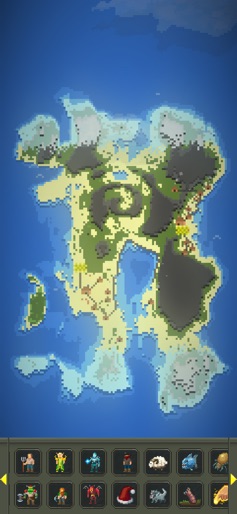
Building World: Pixel Craft is a blocky world building game where you are free to place, destroy and arrange blocks to create your own map. Starting from an empty land, you can collect resources, build houses, make roads, decorate and gradually turn it into a living pixel city. Highlights: 🧱 Many types of blocks to build houses, walls, roads, decorations 🎮 Creative mode to place blocks freely, without limits 🌍 Open voxel world, move and build anywhere 🏙 Build villages, bases, castles or modern cities 📦 Easy to understand controls, suitable for beginners 💡 Familiar, light pixel/craft graphic style

Create screenshots like Building World: Pixel Craft

Use FlyerBanana's free editor to create professional App Store screenshots inspired by Building World: Pixel Craft's design. 100+ templates, device frames, and one-click export.

More Creative Apps

View all

Frequently Asked Questions

How can I create screenshots like Building World: Pixel Craft?
You can create App Store screenshots inspired by Building World: Pixel Craft using FlyerBanana's free screenshot editor. Choose from 100+ templates, customize colors, text, and device frames, then export in all required sizes.
What screenshot sizes does Building World: Pixel Craft use?
Building World: Pixel Craft uses standard App Store screenshot sizes including 6.7" (1290×2796px), 6.5" (1284×2778px), and 5.5" (1242×2208px) for iPhones. FlyerBanana supports all required sizes with one-click export.
Can I use Building World: Pixel Craft's screenshot style for my app?
Yes! While you shouldn't copy screenshots directly, you can use Building World: Pixel Craft's design patterns as inspiration. FlyerBanana's templates let you create professional screenshots with similar layouts, color schemes, and visual styles.
What makes good Creative app screenshots?
The best Creative app screenshots clearly showcase key features, use consistent branding, include compelling copy, and follow App Store guidelines. Browse our Creative inspiration gallery to see what top apps do well.