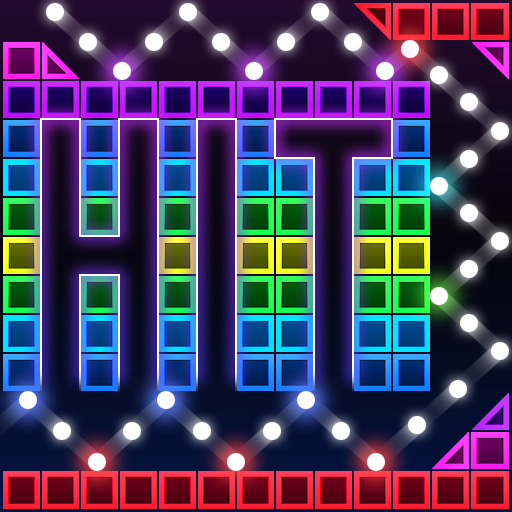
Bricks Breaker Hit - Glow Ball icon

Bricks Breaker Hit - Glow Ball

Tunup Games

Arcade
4.3(211 ratings)
Free
Create Screenshots Like Bricks Breaker Hit - Glow Ball

App Store Screenshots (8)

Bricks Breaker Hit - Glow Ball screenshot 1
Bricks Breaker Hit - Glow Ball screenshot 2
Bricks Breaker Hit - Glow Ball screenshot 3
Bricks Breaker Hit - Glow Ball screenshot 4
Bricks Breaker Hit - Glow Ball screenshot 5
Bricks Breaker Hit - Glow Ball screenshot 6
Bricks Breaker Hit - Glow Ball screenshot 7
Bricks Breaker Hit - Glow Ball screenshot 8

Design Analysis

Visual Design

App Insights

About Bricks Breaker Hit - Glow Ball

Shoot a variety of flashy balls to become a legend of bricks breaker! Break the bricks and blow away all the stress! [How to Play] - Touch the screen to set the angle and release to unleash balls. - Bricks are destroyed when durability hits 0. - Break all the bricks to advance to the next stage. - Game over when the bricks reach the bottom line. [Features] - Free game - More than 10000 different stages - Available for one-hand play, simple control & rules - Available without Wi-Fi (offline game) - Requires little space & supported on devices of low specification - Supported on tablet devices - 19 languages supported - Achievements & Leaderboards supported [Notice] - This game includes in-app purchases. - Actual transaction occurs upon the purchase of an item. - Refunds of purchase may be limited depending on the item of purchase. - Data saved on a device is reset upon deletion of app or change of device. [Facebook] https://www.facebook.com/tunupgames/ [Homepage] https://apps.apple.com/us/developer/tunupgames/id1495149240 [Customer Service] help@tunupgames.com

Create screenshots like Bricks Breaker Hit - Glow Ball

Use FlyerBanana's free editor to create professional App Store screenshots inspired by Bricks Breaker Hit - Glow Ball's design. 100+ templates, device frames, and one-click export.

More Arcade Apps

View all

Frequently Asked Questions

How can I create screenshots like Bricks Breaker Hit - Glow Ball?
You can create App Store screenshots inspired by Bricks Breaker Hit - Glow Ball using FlyerBanana's free screenshot editor. Choose from 100+ templates, customize colors, text, and device frames, then export in all required sizes.
What screenshot sizes does Bricks Breaker Hit - Glow Ball use?
Bricks Breaker Hit - Glow Ball uses standard App Store screenshot sizes including 6.7" (1290×2796px), 6.5" (1284×2778px), and 5.5" (1242×2208px) for iPhones. FlyerBanana supports all required sizes with one-click export.
Can I use Bricks Breaker Hit - Glow Ball's screenshot style for my app?
Yes! While you shouldn't copy screenshots directly, you can use Bricks Breaker Hit - Glow Ball's design patterns as inspiration. FlyerBanana's templates let you create professional screenshots with similar layouts, color schemes, and visual styles.
What makes good Arcade app screenshots?
The best Arcade app screenshots clearly showcase key features, use consistent branding, include compelling copy, and follow App Store guidelines. Browse our Arcade inspiration gallery to see what top apps do well.