

App Store Screenshots (10)




Design Analysis
Visual Design
App Insights
About Board Game Stats
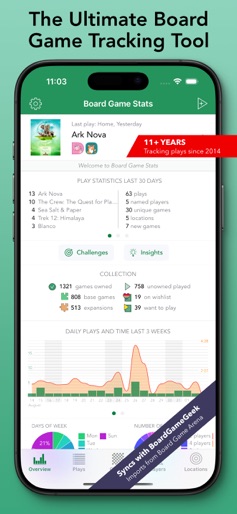
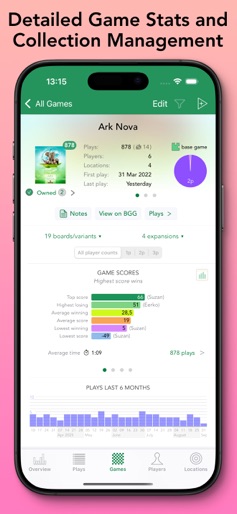
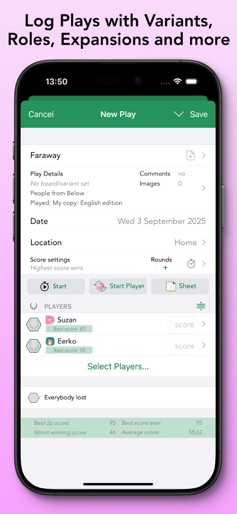
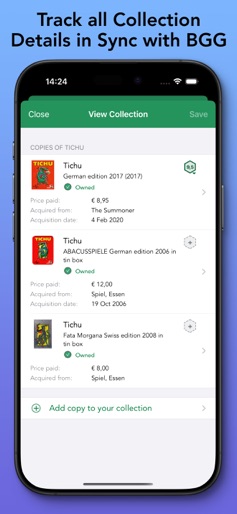
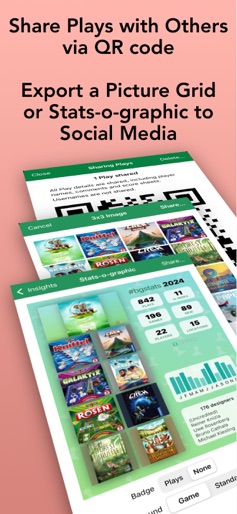
Keep track of your Board Game collection, plays and scores in this easy to use tool. View statistics and graphs for your games, plays, and other players. Works offline, can sync with BoardGameGeek. - How many games did you play recently? - Who scored the highest for a game? - With whom did you play and who wins more? - Did you improve your score from last times? - Use tailor-made score sheets to enter scores. - Compare players, view graphs and charts. - Keep track of your collection and sync with BoardGameGeek. Collection management features: - Keep track of every game you've played or are interested in. - Choose a specific version and image, and track multiple copies. - Set status to Owned, Wishlist, Want to play, and much more. - Enter details like comments, price paid, acquisition date, etc. - Filter games on status, Played but not owned, Unplayed owned games. - Set Custom filters to select a game for your specific group. - Full automatic syncing with your BoardGameGeek (BGG) collection. Play tracking features: - Set scoring rules, cooperative and team play for each game. - Select game and played expansions. - Set Players and Locations, including anonymous players. - Enter location, scores per player and many more details. - Calculate scores on the fly by using + and - signs. - Create teams and enter team scores. - Use over 2500 game-specific tailor-made score sheets. - Add Player roles, and choose from previously used ones. - Use a timer to keep track of your play length. - Add a Game note you can view each time you start a Play. - Post your plays to BoardGameGeek, including auto-post after each save. - Import existing plays from BoardGameGeek (BGG), Yucata and Board Game Arena (BGA) - Send one or more Plays to other BG Stats users so only one of you has to enter the details. Statistics features: - View statistics for each game and player, and combination. - See pie charts, play times and durations graphs, and score charts. - View insights for Games and Players, for different time periods. - See your with H-index, fives, dimes, quarters and centuries. - View a Player's personal H-index and win percentage. - Share Insights charts and 3x3 images. - See cost per play for your games. BG Stats has export and import functions for easy backup to a variety of services. You can sync with other devices via BG Stats Cloud sync (an in-app subscription). All in a native iOS interface, supports dark mode, landscape and iPad screens. With the Power Expansion (in-app purchase): - Extended game charts, based on number of players. - Filter your data on players, locations, specific periods and player counts. - Statistics for a specific combination of players, and compare them. - Winning streaks, tiebreakers, and new and starting player stats. - Role- and board-based statistics. - Heat map of plays and play duration. - Cost per hour, player and more. - Add tags to Games, Players and Locations. - Create and save custom filters, now also with tags. - Customize the Game filter dropdown menu. - Create advanced filters with multiple criteria and logical operations. - View combined game statistics. - Sync game tags with BoardGameGeek. - Create Challenges (if available) based on game filters or tags. With the Challenges expansion (in-app purchase): - Create a challenge from one of the many templates. - x times y challenges: play x games y times. - Ongoing Reach your next H-index challenges. - Set the time period and choose specific games to track, or use auto-fill. - Filter specific Players, Locations and player counts to count for the challenge. - Create hardcore challenges that cannot be changed during the challenge. With a Cloud sync subscription: - Seamlessly sync your data between all your devices. - Keep a backup of your data in the cloud. Please note that changes to the BGG website or API can temporarily break BGG related features. I cannot guarantee their continued availability.
Create screenshots like Board Game Stats
Use FlyerBanana's free editor to create professional App Store screenshots inspired by Board Game Stats's design. 100+ templates, device frames, and one-click export.






