

App Store Screenshots (4)



Design Analysis
Visual Design
App Insights
About bilibili - All Your Fav Videos
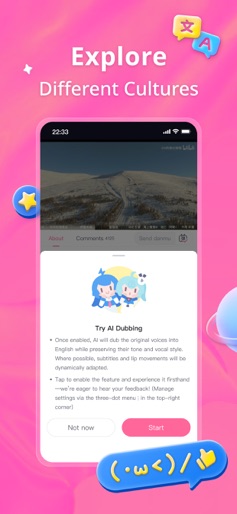
Welcome to bilibili – the ultimate home for anime fans, game addicts, tech geeks, and culture lovers. Ever dreamed of a place where you could binge anime edits, watch live esports with 10,000 danmu (bullet comments), and explore the artistic treasures of diverse cultures—all in a single afternoon? That's what we do here. We're bilibili. We watch, we laugh, we remix, we overthink, and then we create again. 【Whatever you're into – we've got it.】 Hardcore into gaming? From competitive esports to chill strategy let's-plays, we've got gameplay videos, walkthroughs, speedruns, and ragequits galore. Love cool gadgets and future tech? Dive into in-depth unboxings, quirky reviews, or sci-fi concepts brought to life. Obsessed with anime or ACG culture? This is your paradise—AMVs, cosplay tutorials, parody dubs, and wild fan theories included. Curious about multi-culture? Stories, global music, performing arts, creative writing, and street food from all over the world. Here, culture is binged just like a series. And now with our AI Dubbing, you can hear bilibili creators in your own language — no subtitles needed. Less language barrier, more "I get you." 【Your passion deserves a stage. Or at least a fanbase. 】 Got a hot take? A crazy remix idea? A cosplay transformation to show off? This is your space. Everyone here is a creator in the making — drawing, dubbing, animating, narrating, memeing, and always inventing something new. From "fan" to "fan-made," the jump is just one upload away. So yeah, we're not just a video app. We're the internet's most wholesome creative community, where culture meets fandom, memes meet meaning, and your interests meet their tribe. We'll see you in the danmu. Or maybe in the trending tab – With creativity & culture, The bilibili team 【Explanation of Continuous Monthly Membership】 1. Service Name: Continuous Monthly Membership 2. Price: 15 RMB per month 3. Details: Accounts that purchase the Continuous Monthly Membership will automatically be charged via iTunes 24 hours before the monthly subscription expires and the membership will be extended for an additional month. 4. To Cancel Subscription: Open your iPhone "Settings" Go to "iTunes & App Store" Tap on your "Apple ID" and select "View Apple ID" Enter the "Account Settings" page Tap on "Subscriptions" Select the "Continuous Monthly Membership" and cancel the subscription If you do not cancel at least 24 hours before the subscription period ends, the subscription will automatically renew. 5. Terms of Service (including Continuous Monthly Service Rules): https://www.bilibili.com/blackboard/big-protocol.html#monthly 6. Privacy Policy: https://www.bilibili.com/blackboard/privacy-h5.html
Create screenshots like bilibili - All Your Fav Videos
Use FlyerBanana's free editor to create professional App Store screenshots inspired by bilibili - All Your Fav Videos's design. 100+ templates, device frames, and one-click export.
More Entertainment Apps
View all

YouTube
Entertainment


Spotify: Music and Podcasts
Entertainment


TikTok - Videos, Shop & LIVE
Entertainment


Pandora: Music & Podcasts
Entertainment


Shazam: Find Music & Concerts
Entertainment


Photo Lab Picture Editor & Art
Entertainment