
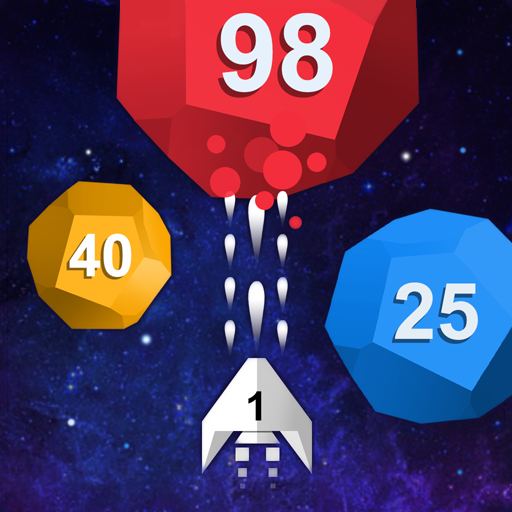
App Store Screenshots (5)
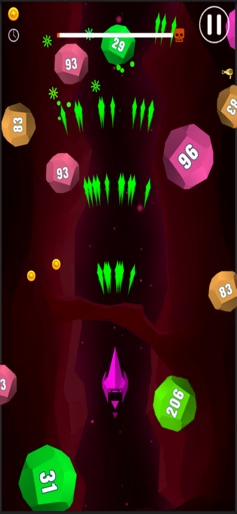

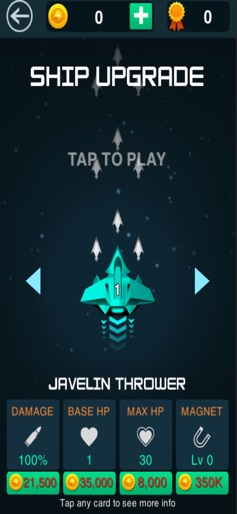


Design Analysis
Visual Design
Style: Custom
Colors:
accent
primary
secondary
Bottom-anchored player shipTop-aligned health/progress barsGrid-based upgrade shopPause and settings buttons
Key Features Shown
- •Numbered block/ball shooting
- •Boss battle mechanics
- •Multi-stat ship upgrades
- •Multiple ship types (e.g., Javelin Thrower)
- •Currency collection
App Insights
Target: Casual mobile gamers looking for 'time-killer' arcade experiences, specifically fans of the ball-blast and shoot-'em-up subgenres.
Monetization:
- •Rewarded Video Ads (Revives, Multipliers)
- •Interstitial Ads
- •Banner Ads
- •In-App Purchases (Currency/Upgrades)
ASO Keywords:
AttackBlockShoot'em Up
About Attack the Block: Shoot'em Up
Attack the Blocks is an awesome game to kill time. Super fun for all ages. - Free to play - Endless gameplay - Simple swipe control - Shoot up all balls and destroy the flying balls - Boss fight - Many beautiful themes will random in each game - Challenge your friends with the best score Download it for free and have fun! Be careful though - it can be very addictive.
Create screenshots like Attack the Block: Shoot'em Up
Use FlyerBanana's free editor to create professional App Store screenshots inspired by Attack the Block: Shoot'em Up's design. 100+ templates, device frames, and one-click export.
More Action Apps
View all










Frequently Asked Questions
How can I create screenshots like Attack the Block: Shoot'em Up?
You can create App Store screenshots inspired by Attack the Block: Shoot'em Up using FlyerBanana's free screenshot editor. Choose from 100+ templates, customize colors, text, and device frames, then export in all required sizes.
What screenshot sizes does Attack the Block: Shoot'em Up use?
Attack the Block: Shoot'em Up uses standard App Store screenshot sizes including 6.7" (1290×2796px), 6.5" (1284×2778px), and 5.5" (1242×2208px) for iPhones. FlyerBanana supports all required sizes with one-click export.
Can I use Attack the Block: Shoot'em Up's screenshot style for my app?
Yes! While you shouldn't copy screenshots directly, you can use Attack the Block: Shoot'em Up's design patterns as inspiration. FlyerBanana's templates let you create professional screenshots with similar layouts, color schemes, and visual styles.
What makes good Action app screenshots?
The best Action app screenshots clearly showcase key features, use consistent branding, include compelling copy, and follow App Store guidelines. Browse our Action inspiration gallery to see what top apps do well.