

App Store Screenshots (7)


Design Analysis
Visual Design
App Insights
About ArzonApteka — Med search
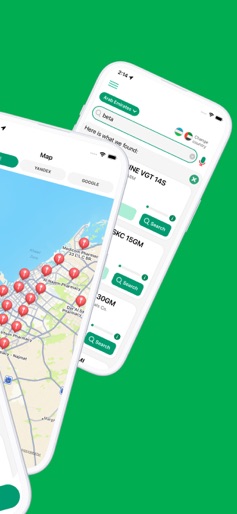
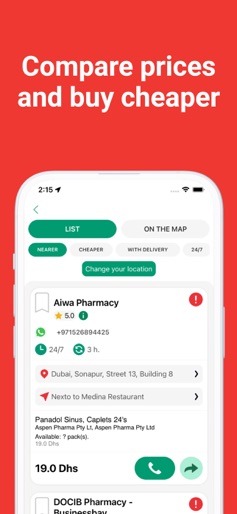
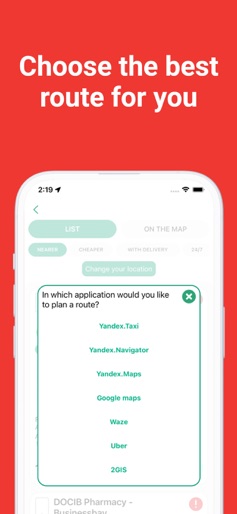
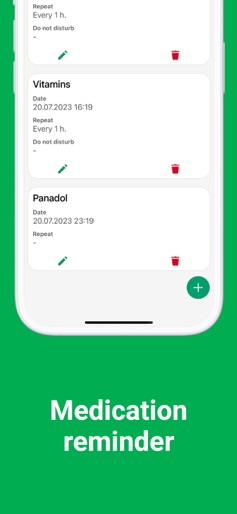
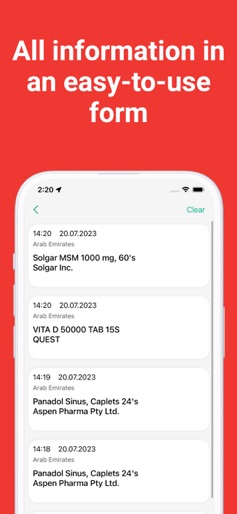
It is now possible to find medications at low prices at the nearest pharmacy or desired location. Get directions to the pharmacy or call a taxi. Get medicine delivered to you and get a reminder to take your medicine. All this is possible in just one app! Functionality: - An up-to-date online medication database; - Sort medicine by the price; - Sort pharmacies by closest location to you; - View pharmacies that have a delivery; - Complete information about pharmacies (addresses, phone numbers, opening hours, location on the map); - Get directions to the selected pharmacy; - Call a taxi to the selected pharmacy; - Search by an active substance (INN); - Add pharmacies to your "Favorites"; - Add reminders for medication intake; - Ability to "share" information about the price of medicine and the location of a pharmacy. CheapPharmacy is easy to use. Type the name of a medication that you are looking for in the search bar. Results could be sorted by price, location, and delivery availability. One of the advantages is to search for several medications at the same time. CheapPharmacy app will give you a list of pharmacies with the total cost of medications on your checklist. Please send your comments and suggestions about the application to info@fomgroup.uz
Create screenshots like ArzonApteka — Med search
Use FlyerBanana's free editor to create professional App Store screenshots inspired by ArzonApteka — Med search's design. 100+ templates, device frames, and one-click export.
More Health & Fitness Apps
View all

Flo Cycle & Period Tracker
Health & Fitness


CVS Health
Health & Fitness


Clue Cycle & Period Tracker
Health & Fitness


Headspace: Meditation & Sleep
Health & Fitness


Noom Weight Loss, Food Tracker
Health & Fitness


Impulse - Brain Training
Health & Fitness