Amazon Music: Songs & Podcasts
Amazon Mobile LLC
Create Screenshots Like Amazon Music: Songs & PodcastsApp Store Screenshots (8)




Design Analysis
Visual Design
App Insights
About Amazon Music: Songs & Podcasts
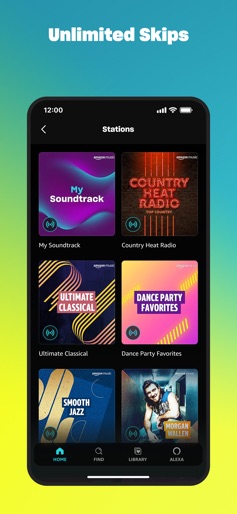
We're changing the way you discover and play the music you love. Listen free to music and podcasts with ads—no credit card required. Prime members can enjoy all the music + top podcasts ad-free. Want more benefits? Get 100 million songs on-demand, ad-free top podcasts, and audiobooks from Audible with Amazon Music Unlimited. Included with your Prime membership at no additional cost: • All the music ad-free • The largest catalog of ad-free top podcasts • Discover new music and podcasts based on your likes • Shuffle play any artist, album, or playlist Amazon Music Unlimited: • Unlimited access to 100 million songs • Pick and play any song, ad-free • The most ad-free top podcasts • The largest catalog of audiobooks from Audible • Listen to one audiobook each month • Listen offline • Unlimited skips • Experience our fast-growing collection of spatial audio Or listen to free streaming music, no credit card required: • Thousands of stations and top playlists • Millions of podcast episodes • Discover new music and podcasts based on your likes • No credit card required Import your playlists: • Move existing playlists from other music platforms to Amazon Music in a few quick steps My Music: • Listen to music you’ve purchased from Amazon – MP3s or AutoRip CDs/Vinyl. Your Amazon purchases are stored for free in the Amazon cloud Apple Watch Features: • Access your favorite music and podcasts right from your wrist • Use your Apple Watch to stream Amazon Music directly or control playback on a compatible iOS device • Play from your library, top recommendations, or search for your favorite Artists and Albums • Download your Playlists and Albums onto your Apple Watch and listen to them in Offline Mode when you're on the go If you subscribe to Amazon Music Unlimited via iTunes where available, payment will be charged to your iTunes Account at confirmation of purchase and your membership will automatically renew monthly unless auto-renewal is turned off at least 24-hours before the end of the then current membership period. Your account will be charged for renewal within 24-hours before the end of each membership period at the rate of your selected plan. You can manage your subscription and turn off auto-renewal anytime by going to My Account or through iTunes. Terms of Use: • https://www.amazon.com/gp/help/customer/display.html?nodeId=201380010
Create screenshots like Amazon Music: Songs & Podcasts
Use FlyerBanana's free editor to create professional App Store screenshots inspired by Amazon Music: Songs & Podcasts's design. 100+ templates, device frames, and one-click export.