

AI Photo Enhancer - Evoke
Guru AI Lab
App Store Screenshots (10)




About AI Photo Enhancer - Evoke
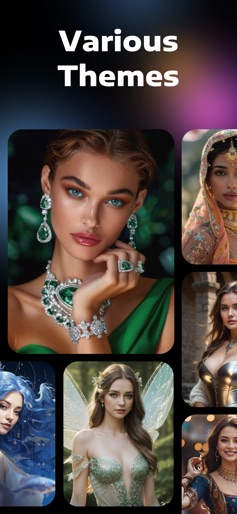
Generate your own fun AI photos with this awesome AI photo generator and powerful AI photo enhancer! *New features: AI Hug Video: create heartwarming AI hug videos that connect you with Anyone, Anytime. Future Baby Generator: check what your baby would look like. Various AI portrait themes and styles are waiting for you. Explore different versions of you with the fun AI avatar feature. With just one click and a few seconds, you will definitely be surprised by the result. No matter whether your photos are black-and-white, yellowed, faded, scratched, blurred, or wrinkled, this AI photo enhancer, Evoke - AI Photo Enhancer, will instantly fix them to be clearer than ever! *Key Features - AI Portraits Have you ever wondered if there might be a parallel universe where you have a divergent life? You may have a different gender, job, body shape, age, and life experience. Now you can find out! Simply choose your desired theme, submit your photo, and wait for the powerful AI to generate fun portraits, bringing your wildest dreams to life. Experience the fun of seeing yourself as a stunning bride, a 90s yearbook style, a pregnant woman, a beautiful fairy, a 3D cartoon figure, and other interesting roles! - Advanced AI Technology This photo enhancer app has the most advanced and cutting-edge AI technology. Evoke - AI Photo Enhancer will perform intelligent recognition, especially for human faces. The super algorithm will make the ultimate high-definition restoration. Its fast, powerful, and efficient working ability will complete the enhancement in the blink of an eye. - Enhance Quickly restore and unblur all details in photos and make them clearer than ever. Every strand of hair and every part of the skin will be delicately restored, let alone hair accessories, earrings, necklaces, clothing, and backgrounds. Perfectly restore the moment of real shooting with 1 click. - Colorize Bring back the life to your black-and-white photos. The colorization feature of Evoke - AI Photo Enhancer will magically add color to your nostalgic images, giving them a fresh and vivid look. Relive your cherished family memories with a burst of color. - Descratch Restore your wrinkled and scratched photos with our advanced descratching feature. The AI algorithms of Evoke - AI Photo Enhancer will intelligently repair any imperfections, ensuring that your old photos regain their original charm. *Subscriptions and In-app Purchase : - Premium features: • Enhance, Colorize, and Descratch your photos faster • No daily limits • Multiple effects • No ads - Subscriptions: • Weekly Subscription: $3.99 • Monthly Subscription: $7.99 • Yearly Subscription: $39.99 - In-app Purchase: • Lifetime one-time purchase: $59.99 - Please note that: • After your purchase, your Apple Account will be charged, and unless auto-renewal is turned off at least 24 hours before the end of the current period in Account Settings, your subscription will renew automatically. Privacy Policy: https://photo.thebetter.ai/policy.html Terms of Service: https://photo.thebetter.ai/termsofservice.html
Create screenshots like AI Photo Enhancer - Evoke
Use FlyerBanana's free editor to create professional App Store screenshots inspired by AI Photo Enhancer - Evoke's design. 100+ templates, device frames, and one-click export.